Day 6 - 90 DaysOfDevOps- File Permission
🪄 Introduction -
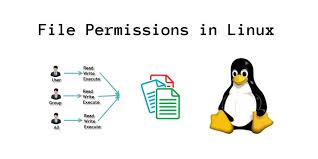
In Linux file system is an essential part of the operating system. which allows to change the permission of the file to make it readable, written and executable. Linux uses a permission system that assigns three types of permissions to each file and directory: read (r), write (w), and execute (x). These permissions are applied separately for three different categories of users: the owner of the file, the group associated with the file, and all other users
In Linux file permission is written as a three-letter string where each letter represents three different modes of file as read, write and execute. it is written as -rwx.
r:- allows the user to read the file and view the content in it.
w:- allows the user to write or modify a file.
x:- allows a user to execute the file or script.
the permission for the file is given in the format -rwx-rwx-rwx . This string is explained below:
The first string corresponds to the permission of the User.
The second string represents the permission of Group
The third string represents the permission of Others.
🖋️ To create a simple file and view the details of it.
we can create any file t write the content inside it. If we want to check the permission details of the file then we will use the ' ls -l 'command.

🖋️ To change the permission of the file.
If we want to change the permission of the file then we use ' chmod ' command. chmod stands for change mode of the file. We can give permission in symbolic form or Numeric form also.
syntax :- chmod <permission> <filename>

here we have given permission '764'
7 numeric number stands for 4+2+1 in which 4 denotes read permission, 2 denotes write permission and 1 denotes execute permission for User.
6 numeric number stands for 4+2 in which 4 denotes read permission, 2 denotes write permission for Group.
4 numeric number stands for read permission for Others.
🖋️ To change the User permission of a file or Directory.
If we want to change the user permission of a file, we use "chmod" command.
syntax- chmod <permission> <filename>

here we have changed the user permission for the file to be read and written only. This permission is denoted in numeric form as ' 600 '. In which users have permission to read and write, while Group and Other have no permission.
🖋️ To change the Group permission of a file or Directory.
If we want to change the user permission of a file, we use "chmod" command.
syntax- chmod <permission> <filename>

here we have changed the Group permission to read-only. It is denoted in numeric form as '740', where users have all read, write and execute permission while Group has only read permission and Other has no permission.
🪄 Write an article about File Permissions.
In the Linux operating system, three types of permission to be used, they are as follows:-
Basic Permission
Special Permission
Access Control Permission
Basic Permission control the access reghts of files and directories for the Owner , grop and Others. These permissions determine what action to be performed on the file or directory like reading ,writing and executing.
Special Permission add extra features to the standard permission system and provide advanced access control options.
Access Control permissions in Linux are essential for managing whoc an access and perform specific actions on files and directories in the file system.


